
Nick's Pokemon Fan Site
Pokemon Browser (Ruby and Sapphire)

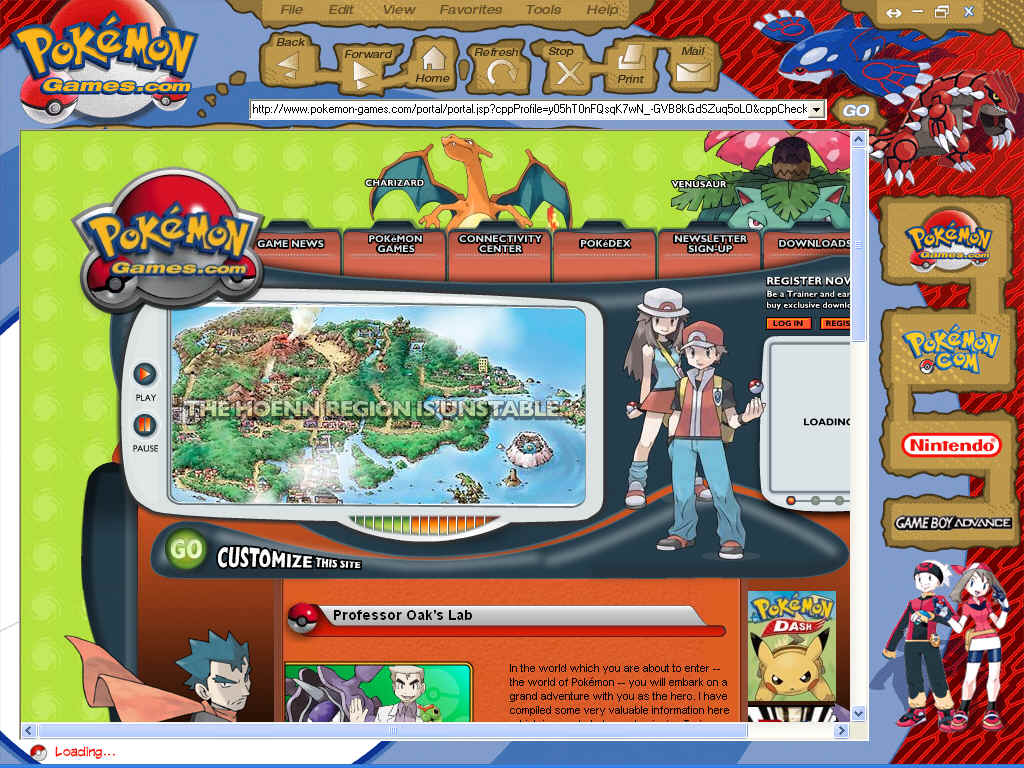
Browser Preview:
Disclaimer:
This program was created by Braun, which is no longer in business anymore and can not provide support for this program
How to register this Browser:
The browser Registration web site has been deleted but you can still use the
browser by using Windows registry.
You can either follow the steps below or download the patch I made to automatically
do what is explained below:
Pokemon (Ruby and Sapphire) Browser Registration Patch
Compatibility Notes:
For people using Windows Vista and newer, you must run the
browser in Windows XP Compatibility Mode.
For
people running a 64-bit OS, you'll need to run the 32-bit version of Registry
Editor located at
%WinDir%\SysWOW64\regedit.exe and either follow the directions after opening the
registry editor below
or drag the patch above into the 32-bit Registry Editor.
First, open Windows Registry by clicking start and then click run, Then type regedit and press ok.
Now to go:
HKEY_LOCAL_MACHINE\Software\Braun\Pokemon
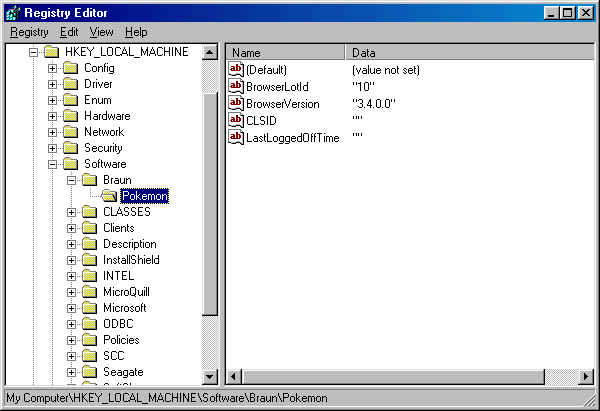
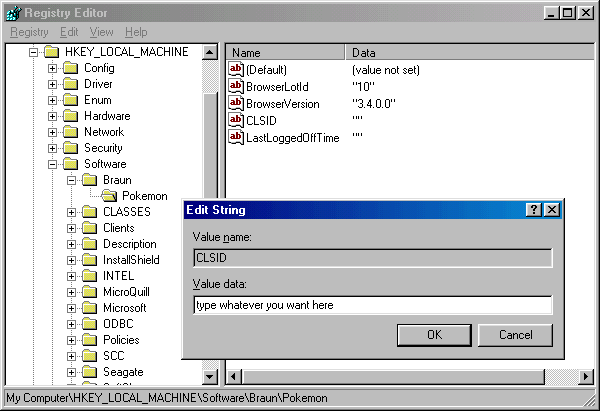
and then double click the string CLSID and change the value to anything you
want and then run the Pokemon (Ruby and Sapphire) Browser.
Note: to download the zip version you might need to download a program to unzip the filed like WinZip.